 ScanToBIM-CAD
Interior vs Exterior Scanning: Different Tools for Different Jobs
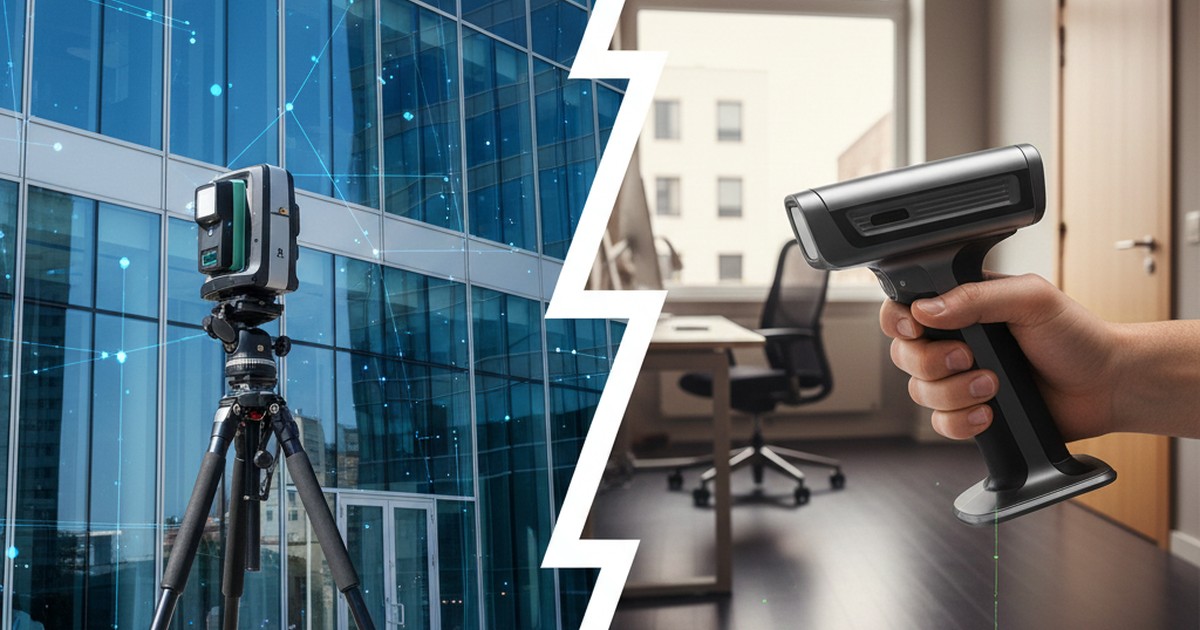
🔍 Quick Summary:
- 🏠 Interior scanning: Handheld LiDAR (GeoSLAM, BLK2GO, SatLab) - fast, portable, optimized for floor plans
- 🏗️ Exterior scanning: Terrestrial scanners (Faro, Leica, Trimble) - high accuracy, long range, weather-resistant
- ✅ ScanToBIM-CAD: Optimized for interior scans under 2GB - best results for floor plan extraction
- ⚠️ Limitations: Not ideal for large-scale exterior projects or multi-building surveys
Why Interior and Exterior Scanning Are Fundamentally Different
If you've ever tried to use a terrestrial laser scanner (the kind on a tripod) to scan a building interior, you know the frustration. It's slow, requires multiple setup positions, and struggles with tight spaces and furniture.
Conversely, if you've tried to use a handheld LiDAR scanner for an exterior building survey, you've probably discovered accuracy issues, range limitations, and weather sensitivity.
That's because interior and exterior scanning are fundamentally different jobs that require different tools, workflows, and expertise. Understanding these differences is crucial for choosing the right scanner and getting the best results.
This article breaks down the key differences, which tools work best for each scenario, and when to use which approach.
Interior Scanning: Requirements and Challenges
Interior scanning is all about speed, portability, and navigating complex spaces. Here's what makes it unique:
Key Requirements
- Speed: Need to scan entire buildings quickly—often multiple floors in a single day
- Portability: Must navigate through doorways, up stairs, around furniture
- Close-range accuracy: Need precise measurements for walls, doors, windows (typically 1-3cm accuracy is sufficient)
- Furniture handling: Must work around existing furniture, equipment, and occupants
- Low light tolerance: Interiors often have poor lighting compared to exterior scans
Common Challenges
- Tight spaces: Narrow hallways, small rooms, cluttered areas
- Multiple floors: Need to scan vertically as well as horizontally
- Occupied buildings: People and moving objects create noise in point clouds
- Complex geometries: Non-orthogonal walls, curved surfaces, irregular room shapes
- Reflective surfaces: Glass, mirrors, polished floors can cause scanning issues
Best Scanners for Interior Work
Handheld and mobile LiDAR scanners excel at interior scanning:
Best for: Large interior spaces, multi-story buildings
Range: 100m, Accuracy: ±2-3cm, Speed: Very fast
📱 Leica BLK2GO
Best for: Professional interior surveys, high accuracy needs
Range: 25m, Accuracy: ±1-2cm, Speed: Fast
Best for: Budget-conscious interior scanning
Range: 30m, Accuracy: ±2-3cm, Speed: Fast
📱 NavVis VLX
Best for: Large commercial interiors, BIM workflows
Range: 50m, Accuracy: ±1-2cm, Speed: Very fast

Exterior Scanning: Requirements and Challenges
Exterior scanning prioritizes accuracy, range, and environmental resilience. Here's what makes it different:
Key Requirements
- Long range: Need to capture building facades, entire structures from distance
- High accuracy: Survey-grade precision often required (sub-centimeter for as-built documentation)
- Weather resistance: Must work in rain, wind, varying temperatures
- GPS integration: Often need georeferenced data for large-scale projects
- Large coverage: Need to scan entire building exteriors, sites, or multiple structures
Common Challenges
- Weather conditions: Rain, fog, wind can affect scan quality
- Sunlight: Bright sunlight can interfere with laser measurements
- Large distances: Need to capture details from 50-300m away
- Multiple scan positions: Require careful registration and alignment
- Traffic and safety: Working near roads, construction sites, public areas
Best Scanners for Exterior Work
Terrestrial laser scanners (TLS) dominate exterior scanning:
🏗️ Faro Focus S
Best for: Professional exterior surveys, high accuracy
Range: 350m, Accuracy: ±2mm, Speed: Medium
🏗️ Leica RTC360
Best for: Fast exterior scanning, construction sites
Range: 130m, Accuracy: ±1.5mm, Speed: Very fast
🏗️ Trimble TX8
Best for: Large-scale exterior projects, long-range
Range: 340m, Accuracy: ±2mm, Speed: Medium
🏗️ Topcon GLS-2000
Best for: Survey-grade exterior documentation
Range: 600m, Accuracy: ±1mm, Speed: Slow

Comparison: Interior vs Exterior Scanning
| Factor | Interior Scanning | Exterior Scanning |
|---|---|---|
| Best Tool Type | Handheld/mobile LiDAR | Terrestrial laser scanner (TLS) |
| Typical Range | 10-100m | 50-600m |
| Accuracy Requirement | 1-3cm (sufficient for floor plans) | 1-5mm (survey-grade precision) |
| Scanning Speed | Very fast (walk-through scanning) | Medium (requires setup at each position) |
| Portability | High (handheld, backpack-mounted) | Low (tripod-mounted, heavy equipment) |
| Weather Sensitivity | Low (indoor environment) | High (rain, fog, wind affect scans) |
| GPS Integration | Not required | Often required for georeferencing |
| Typical Use Case | Floor plans, as-built documentation, BIM | Building facades, site surveys, large-scale projects |
| Cost Range | $15,000-$80,000 | $30,000-$150,000+ |
When to Use Which Tool: A Decision Framework
Use this framework to choose the right scanning approach:
Decision Framework:
Choose Handheld LiDAR (Interior) If:
- ✅ Scanning building interiors (offices, homes, commercial spaces)
- ✅ Need floor plans or as-built documentation
- ✅ Speed is important (multiple buildings in one day)
- ✅ Working in tight spaces or occupied buildings
- ✅ 1-3cm accuracy is sufficient
- ✅ Budget is limited ($15k-$50k range)
Choose Terrestrial Scanner (Exterior) If:
- ✅ Scanning building exteriors or facades
- ✅ Need survey-grade precision (sub-centimeter)
- ✅ Large-scale projects (multiple buildings, sites)
- ✅ Georeferenced data required
- ✅ Long-range scanning needed (50m+)
- ✅ Working in outdoor environments
Use Both (Hybrid Approach) If:
- ✅ Complete building documentation (interior + exterior)
- ✅ Need both floor plans and facade documentation
- ✅ Budget allows for multiple tools
- ✅ Project requires comprehensive as-built documentation
Our Honest Limitations: Why ScanToBIM-CAD is Optimized for Interior Scans
At ScanToBIM-CAD, we're transparent about what we do well and what we don't. Here's the honest truth:
What We Do Best
✅ Interior Floor Plans
Optimized for interior scans with orthogonal walls, doors, and windows. Best results for office buildings, homes, and commercial interiors.
✅ Handheld LiDAR Data
Works excellently with GeoSLAM, BLK2GO, SatLab, and other handheld scanners. These devices produce the type of data our AI models are trained on.
✅ Files Under 2GB
Optimized for typical interior scan sizes. Most interior scans are 50-500MB, which is our sweet spot.
✅ Orthogonal Layouts
Best results for buildings with perpendicular walls (90-degree angles). Most commercial and residential buildings fit this pattern.
Alternative Tools for Exterior Scanning Workflows
If you're doing exterior scanning work, here are tools better suited for those projects:
Point Cloud Processing Software
- CloudCompare: Free, open-source point cloud processing. Excellent for registration, cleaning, and analysis of large exterior scans.
- Autodesk ReCap Pro: Industry standard for point cloud registration and processing. Required for importing into AutoCAD/Revit.
- Leica Cyclone: Professional software for Leica scanner data. Best for complex registration and georeferencing.
- Faro Scene: Native software for Faro scanners. Excellent for exterior scan processing and registration.
CAD/BIM Software for Exterior Work
- AutoCAD with CloudWorx: Plugin for working with large point clouds in AutoCAD. Best for facade documentation.
- Revit with Point Cloud Tools: Native point cloud support in Revit. Good for creating 3D models from exterior scans.
- Bentley Pointools: Specialized software for large-scale point cloud visualization and modeling.
Hybrid Approaches: Combining Interior and Exterior Data
Many projects require both interior and exterior documentation. Here's how to combine the two approaches:
Workflow Example: Complete Building Documentation
- Exterior scanning: Use terrestrial scanner (Faro, Leica) to capture building facades, site context, and exterior details. This provides georeferenced, high-accuracy exterior data.
- Interior scanning: Use handheld LiDAR (GeoSLAM, BLK2GO) to quickly capture interior floor plans. This provides fast, portable interior documentation.
- Registration: Align interior and exterior point clouds using common reference points (doorways, windows, building corners).
- Processing: Use ScanToBIM-CAD for interior floor plans, and specialized tools (ReCap, CloudCompare) for exterior facade documentation.
- Integration: Combine both datasets in your CAD/BIM software to create comprehensive as-built documentation.
This hybrid approach gives you the best of both worlds: fast interior documentation and high-accuracy exterior data.

Best Practices for Each Scanning Type
Interior Scanning Best Practices
- Walk at consistent speed: Handheld scanners work best with steady, consistent movement
- Overlap your paths: Walk through each room multiple times from different angles to ensure complete coverage
- Close doors: Helps with room boundary detection and reduces point cloud noise
- Minimize moving objects: Ask occupants to stay still during scanning when possible
- Scan vertically: Include ceiling and floor in your scanning path for better 3D reconstruction
Exterior Scanning Best Practices
- Plan scan positions: Pre-plan your scan positions to ensure complete coverage and good overlap
- Use targets: Place reflective targets for easier registration between scan positions
- Check weather: Avoid scanning in rain, fog, or extreme sunlight
- Georeference early: Set up GPS/GNSS control points at the start of the project
- Document conditions: Note weather, lighting, and any obstructions that might affect scan quality
Conclusion: Choose the Right Tool for the Job
Interior and exterior scanning are fundamentally different jobs that require different tools and approaches:
- Interior scanning: Handheld LiDAR excels—fast, portable, perfect for floor plans
- Exterior scanning: Terrestrial scanners dominate—high accuracy, long range, weather-resistant
- Hybrid approach: Use both for complete building documentation
At ScanToBIM-CAD, we're optimized for interior scans because that's where we can deliver the most value. Our AI models are trained on interior data from handheld scanners, and we achieve best results for floor plan extraction from interior point clouds.
If you're doing primarily exterior work or need survey-grade precision, specialized tools designed for those use cases will serve you better. But for interior as-built documentation and floor plans, we're the fastest and most cost-effective solution.
Ready to optimize your interior scan-to-CAD workflow? Try ScanToBIM-CAD free and convert your interior point clouds to floor plans in minutes. No credit card required.
Want to learn more? Check out our guides on handheld LiDAR floor plans and Faro scanner workflows.
Ready to Convert Your Point Cloud?
Try ScanToBIM-CAD free and convert your first point cloud to a floor plan in minutes. No credit card required.
Start Free TrialRelated Posts

How to Create Floor Plans from Handheld LiDAR Scans
Learn how to create accurate floor plans from handheld LiDAR scans. Compare handheld vs tripod scanners, explore popular devices (SatLab, GeoSLAM, BLK2GO, NavVis), and master the complete workflow from scan to CAD. Includes best practices and troubleshooting tips.

Faro Scanner to Floor Plan: Automated Workflow
Learn how to convert Faro scanner point clouds to accurate floor plans. Step-by-step guide covering Faro Scene export, format conversion, and automated CAD generation. Compare manual tracing vs automated workflows for time and cost savings.